

Human in the Loop
Overview
Human in the Loop (HITL) allows you to pause workflow execution and require manual approval before proceeding. When a workflow reaches an approval step, it stops and waits for you (the workflow owner) to review and approve before continuing.
How It Works
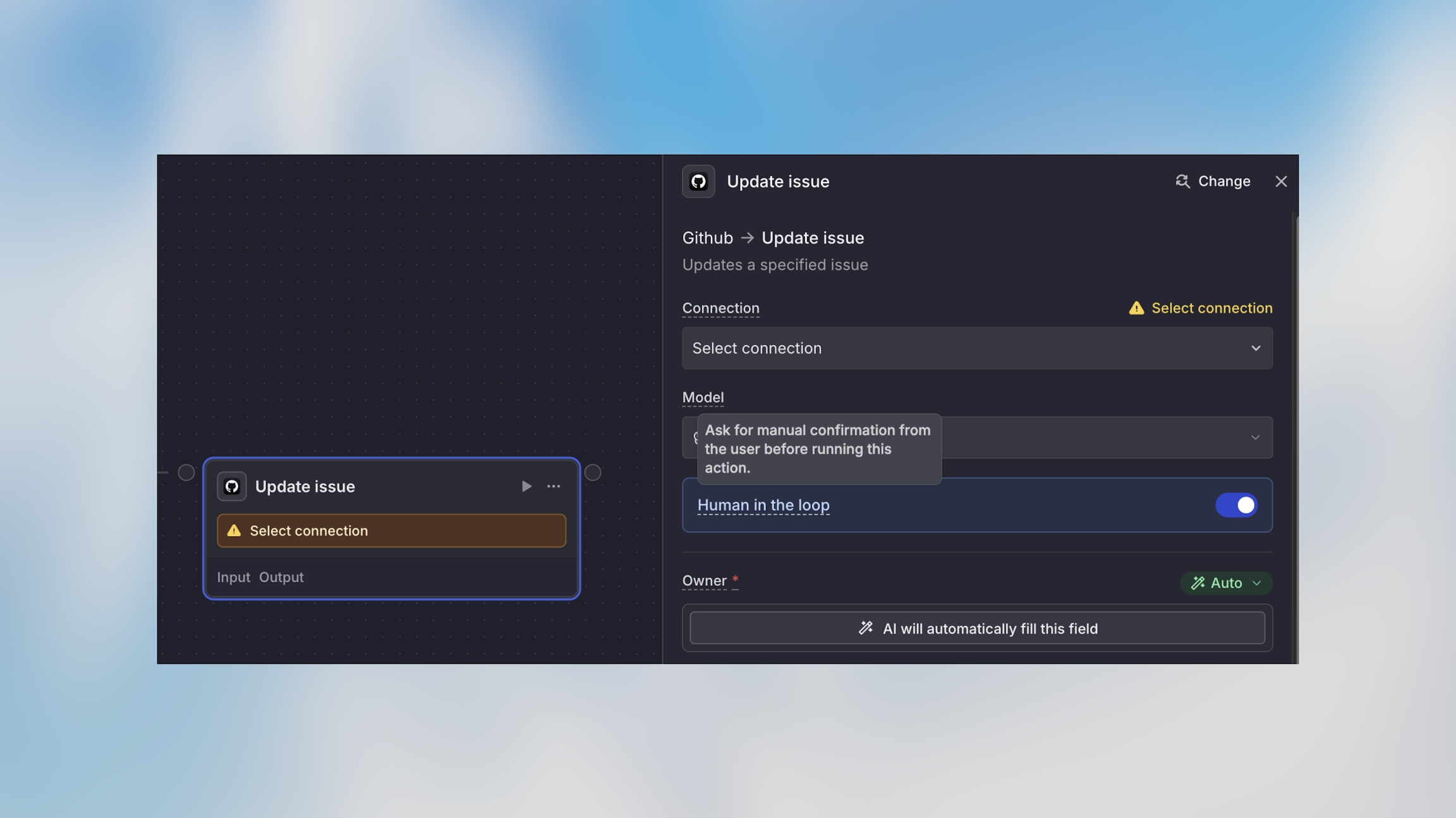
Currently, only the workflow owner can approve paused workflows. Sharing approval rights with other team members is not yet available.
Example Use Cases
Financial Transactions
Why approval needed: Financial transactions should have oversight, especially for amounts over a certain threshold.
Data Deletion
Why approval needed: Data deletion is irreversible and requires verification.
Customer Communications
Why approval needed: Customer-facing communications represent your brand and may need quality review.
Production Changes
Why approval needed: Production changes carry risk and benefit from review.
When to Use Human in the Loop
✅ Good use cases:
Financial transactions over a threshold
Data deletions or irreversible operations
Customer communications requiring review
Production system changes
Compliance-sensitive actions
High-value decisions
❌ Avoid for:
Routine, low-risk actions
Steps that need to run immediately
Actions that happen frequently throughout the day
Workflows where manual approval becomes a bottleneck
Combining with Conditions
Smart approval workflows use conditions to require approval only when needed:
This pattern gives you:
Automation for routine cases
Oversight for exceptional cases
Efficient use of your time
Best Practices
Use for Truly Sensitive Actions Don’t require approval for every step—focus on actions with real risk or significant impact. Too many approvals slow down automation benefits.
Provide Clear Context Ensure the workflow provides enough information at the approval step. Include relevant details like amounts, recipients, or data previews so you can make informed decisions.
Plan for Approval Availability Since only you (the workflow owner) can approve, consider your availability. For time-sensitive workflows, ensure you can respond promptly.
Test the Approval Flow Run test workflows to ensure approval notifications arrive correctly and you have the information needed to approve confidently.