Webhook Trigger
Overview
The Webhook Trigger provides a unique HTTP endpoint that external systems can call to start your workflow. It’s the bridge between Langdock Workflows and any external service or application that can send HTTP requests.
Best for: Real-time integrations, external system events, API-driven workflows, and connecting services without native integrations.
When to Use Webhook Trigger
Perfect for:
Receiving events from external services (GitHub, Stripe, custom apps)
Real-time data processing from external systems
Building custom integrations
Connecting services that support webhooks (including other workflows)
API-driven workflows initiated by other systems
Not ideal for:
User-facing data collection (use Form Trigger)
Scheduled recurring tasks (use Scheduled Trigger)
Native integration events (use Integration Trigger)
Configuration
Basic Setup
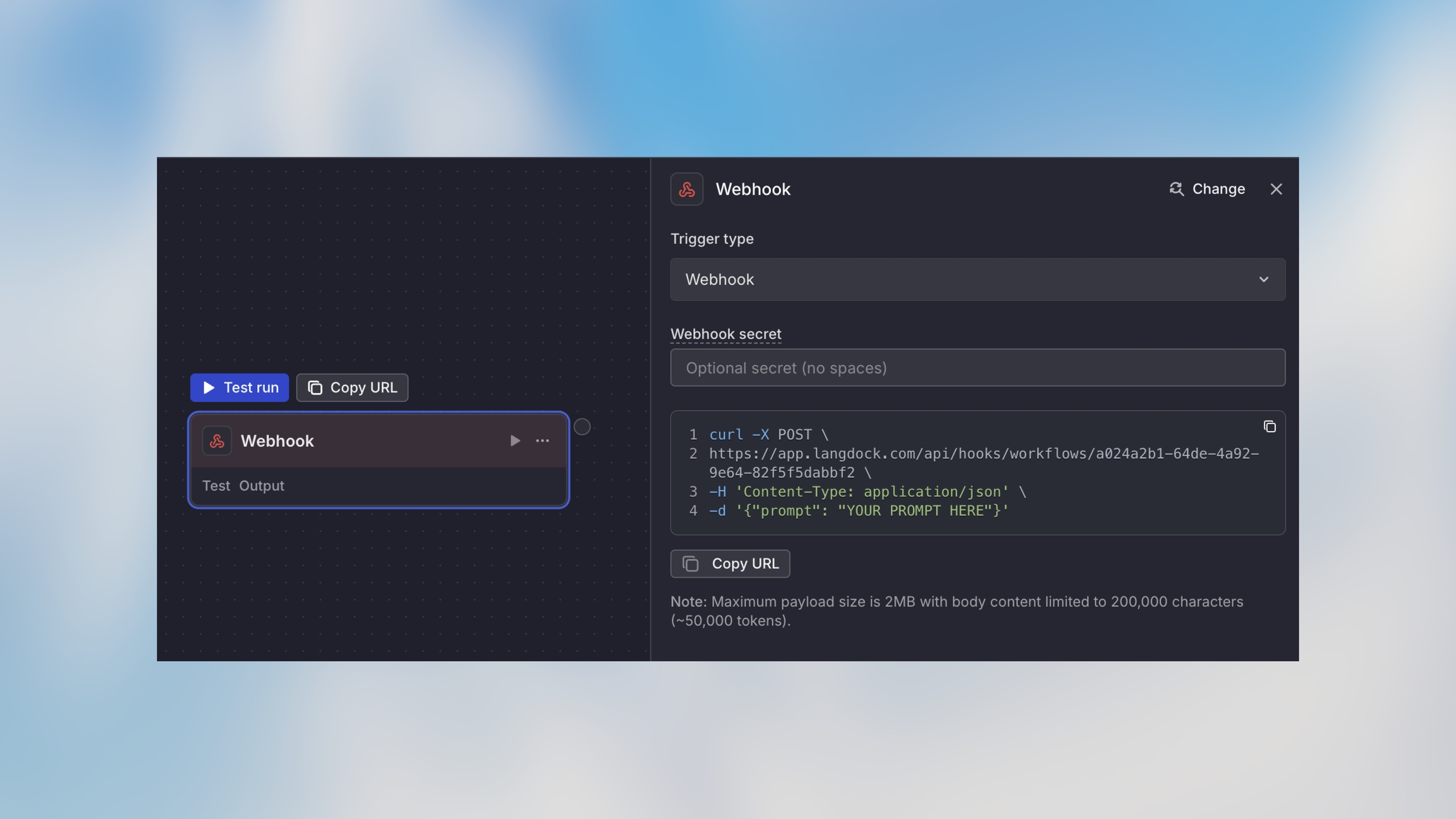
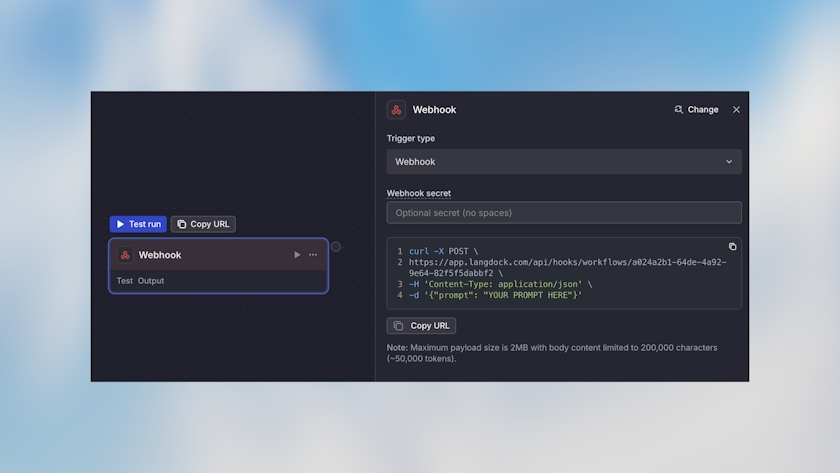
When you add a Webhook Trigger, you automatically get:
Unique Webhook URL: A secure endpoint for receiving requests
Webhook ID: Identifier for your webhook
Security Options
How It Works
External system sends HTTP POST request to webhook URL
Webhook validates authentication (if configured)
Request payload is parsed (JSON)
Workflow starts with payload data available as {{trigger}}
Webhook responds immediately with 200 OK
Workflow processes asynchronously
Important: Webhooks respond immediately (within ~100ms) and process the workflow asynchronously. Don’t rely on the webhook response for workflow results.
Making Requests to Your Webhook
Basic Request
Example Use Cases
GitHub Webhook Integration
Example flow:
GitHub Webhook Configuration:
URL: Your webhook URL
Events: Push, Pull Request
Content type: application/json
Stripe Payment Webhook
Example flow:
Custom Application Integration
Example flow:
Slack Command Integration
Example flow:
Accessing Webhook Data
Access the webhook payload using the trigger variable:
Access in workflow:
Response Codes
200
Success
Workflow triggered successfully
400
Bad Request
Invalid JSON or missing required fields
401
Unauthorized
Authentication failed
403
Forbidden
Workflow is paused or inactive
500
Server Error
Internal error processing webhook
Next Steps